Themesei
Viralike WordPress theme
Viralike is a free, lightweight WordPress theme for viral, news and magazine sites. See its features, how to install it, who it fits and how to test it safely.
If you run a site that publishes many short, shareable stories, your theme matters more than you think. It decides how fast the first screen appears, how clearly your best stories stand out and how easy it is for a visitor to keep reading. Viralike is a free WordPress theme made for exactly that job: viral, news and magazine websites. In this guide you will learn what it is, who it fits, how to install it and how to test it before it goes live.
What is the Viralike WordPress theme?
Viralike is a lightweight WordPress theme for viral, news and magazine websites, published in the official WordPress.org directory and made by the Themesei team. Think of a theme as the outfit of your website. WordPress stores your posts, and the theme decides how they look: the header, the menu, the grid of stories and the footer.
According to its directory listing, Viralike is "easy to use" and carries these feature tags: Blog, Custom logo, Custom menu, Entertainment, Featured images, Footer widgets, News, Sticky post and Translation ready. Those tags are a good summary of its personality. It is a publishing theme: it wants lots of posts, strong featured images and a clear path from the home page to each story.
Because it lives in the official directory, you can find it directly inside your WordPress dashboard. No zip files from random websites, no license keys and no account to create.
The real problem: viral sites need to load fast and look clear
Sites that live on traffic from social networks, search and newsletters have a special problem. Visitors arrive with very little patience. They land on a story, glance at the page and decide in a couple of seconds whether to stay.
Many all-purpose themes make this harder. They ship with page builders, sliders and dozens of options you will never touch. The result is a heavy page that loads slowly on a phone and hides the story under decoration.
The second problem is hierarchy. When everything on the home page shouts at once, nothing gets clicked. A news or viral site needs a clear order: what is trending, what is the main story today and what else is worth reading. Without that order, visitors read one post and leave.
How Viralike works
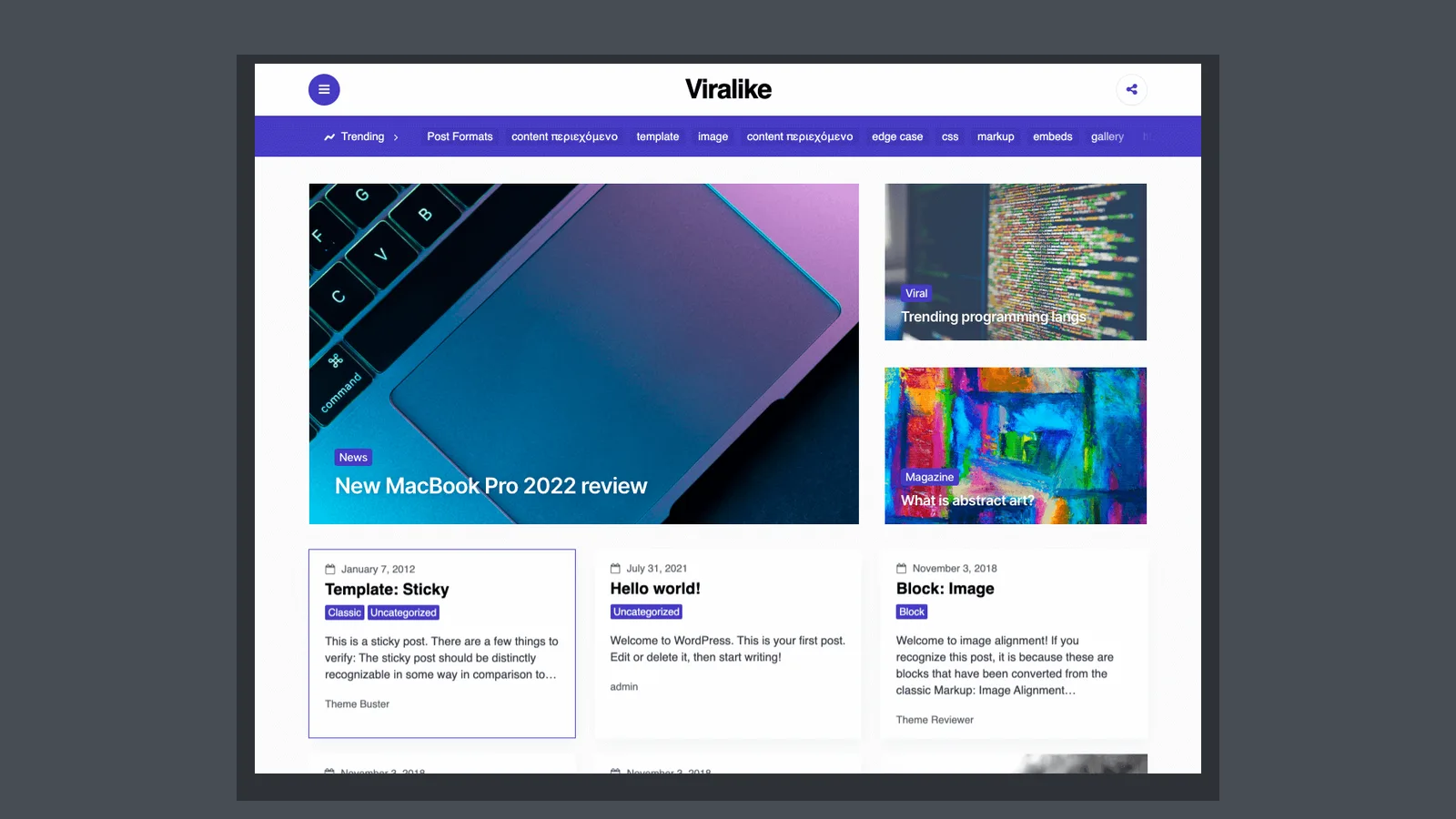
Viralike keeps the structure simple and puts your content first. Looking at the demo shown on the theme page, you can see the main pieces:
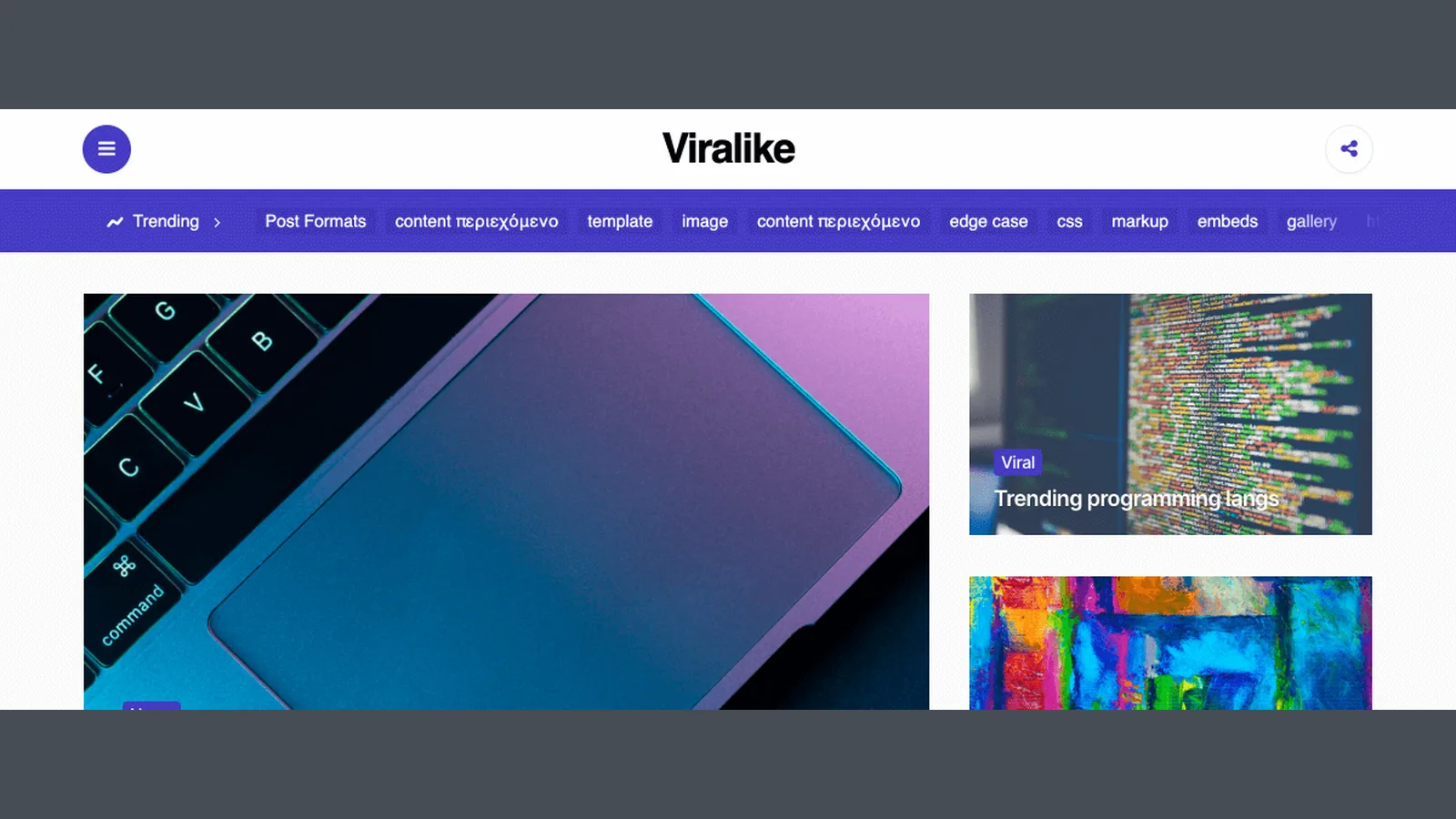
- A clean header with a centered logo, a round menu button and a share button.
- A trending bar under the header with tags that lead to popular topics.
- A featured grid where one large story and two smaller ones get the top of the page.
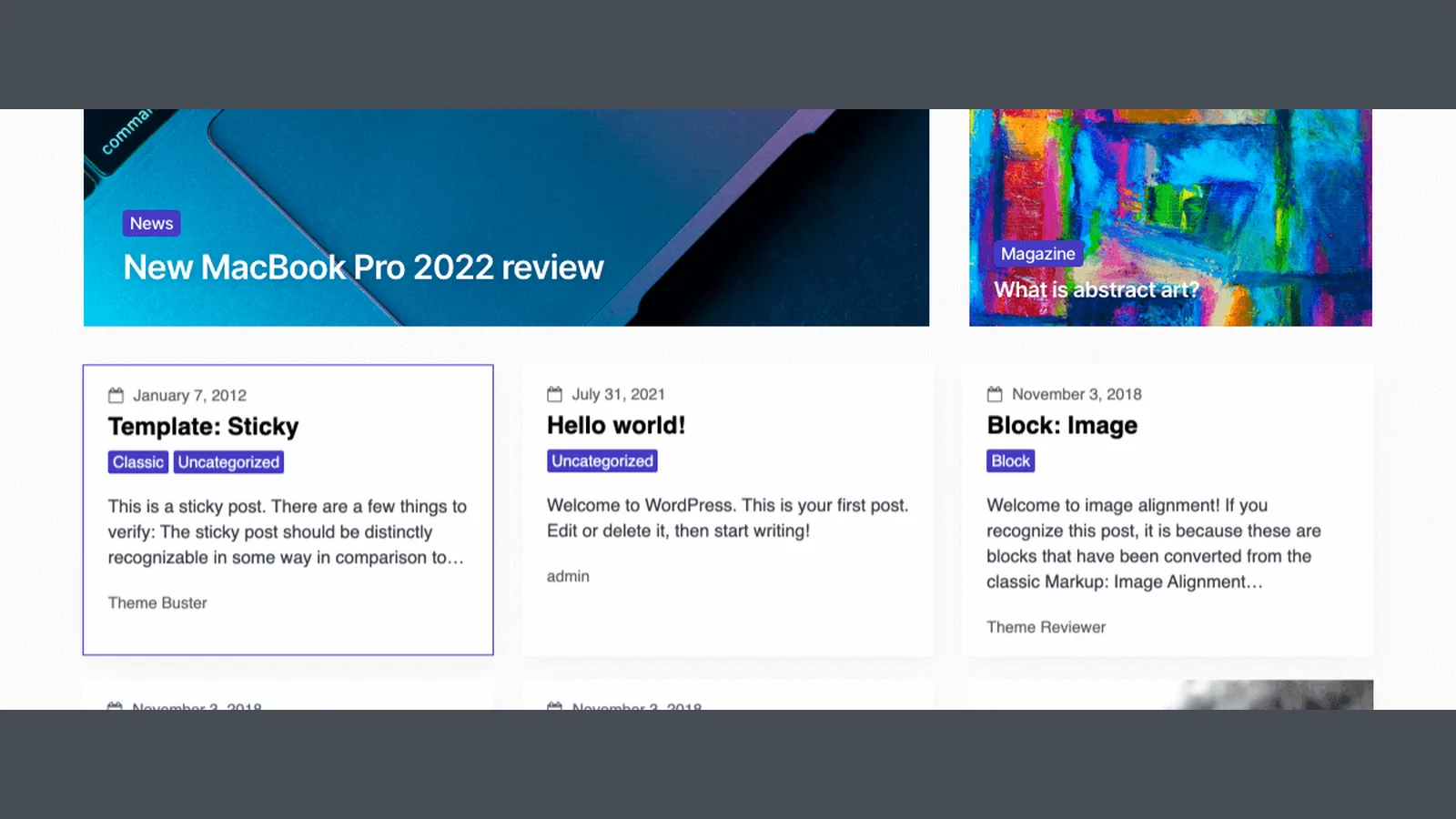
- Post cards below, each with the date, title, category labels, a short excerpt and the author.
This is the typical layout of a modern magazine home page, and it is a good one: the eye lands on the big story first, then on the two supporting ones and then on the stream of cards.
Behind the scenes, it uses the normal WordPress tools. You set your logo in the Customizer, build your menu in Appearance > Menus, add widgets to the footer and mark a post as sticky when you want it to stay at the top. If you already know basic WordPress, you already know how to run Viralike.
Step by step: install and set up Viralike
You do not need to be a developer. Here is the quick path from zero to a working site.
- Back up your site. If you are switching themes on a live site, make a backup first. A copy of your files and database takes a few minutes and can save you hours.
- Open the theme installer. In your dashboard go to Appearance > Themes > Add New.
- Search for "Viralike". Click Install, then Activate. You can also download it from the WordPress.org theme page and upload it manually.
- Add your logo. Go to Appearance > Customize > Site Identity and upload your logo.
- Build the menu. Create a menu in Appearance > Menus and assign it to the main location.
- Choose your front page. Set your home page to show your latest posts, so the featured grid and the post cards can do their work.
- Set featured images. Give every post a strong featured image. This theme is visual, and posts without images look empty.
- Fill the footer. Add widgets such as recent posts, categories or a short about text.
Tip: Use a staging copy of your site for the first setup. Check the home page, a single post, a category page and the search results on both a phone and a desktop before you switch the live site.
What's new in version 1.1.0
The November 2026 update brings Viralike up to date with the current WordPress theme requirements:
- Tested up to WordPress 7.1, requiring WordPress 6.6 and PHP 7.4.
- No third-party code: the old Freemius library was removed, so the theme includes no tracking or paid-plan code.
- Better accessibility: the menu, share and search controls are real buttons with labels, the skip link shows when you press Tab, and Escape closes open panels.
- Lighter scripts: jQuery was replaced by a tiny script that loads deferred.
- Block editor support: block styles, responsive embeds and wide alignment.
- Fixes: the Customizer color now outputs valid CSS once, and a few untranslated strings are now translatable.
Benefits of Viralike
For site owners
- It is free and listed in the official directory, so installation takes minutes.
- It is built for news, entertainment and magazine content, so you do not fight the layout to publish stories.
- The feature set is small on purpose, so there is less to configure and less to break.
For writers and editors
- Sticky posts let you pin the most important story.
- Featured images and category labels make each post card informative at a glance.
- The footer widgets give you room for newsletters, links and recent content.
For readers
- The trending bar helps them discover popular topics quickly.
- The card layout is easy to scan on a phone.
- The clean header and generous white space keep the focus on the text.
From problem to solution: before and after
| Common problem | How Viralike helps |
|---|---|
| The home page feels crowded and nothing stands out | A featured grid gives one main story and two supporting ones |
| Visitors do not know what is popular | A trending bar links to hot topics from the top of every page |
| The theme is heavy for a simple blog | A lightweight, publishing-focused design with a short feature list |
| It is hard to highlight an urgent story | Sticky posts keep one story at the top |
| You need your site in another language | Translation ready, with English, Russian and Swedish translations listed |
Best practices checklist
Use this list before you launch a site with Viralike, or any other theme.
- Check compatibility. Version 1.1.0 needs WordPress 6.6+ and PHP 7.4+. Test on your current versions in a staging site.
- Use light images. Compress every featured image before you upload it. A beautiful grid with huge files still loads slowly.
- Keep plugins few. A fast theme can be slowed down by too many plugins. Install only what you need.
- Write clear headlines. The cards show the title and an excerpt. Make both worth the click.
- Use categories on purpose. The category labels show up on the cards, so keep the list short and clear.
- Create a child theme if you plan to change the code, so future updates do not erase your edits.
- Check accessibility. Look at contrast, text size and keyboard navigation on your final design.
Common mistakes to avoid
- Skipping the staging test. Activating any theme directly on a live site can break menus, widgets or layouts. Test first.
- Skipping the compatibility check. Version 1.1.0 was released in November 2026 and tested up to WordPress 7.1, but your own mix of plugins and PHP version still matters. Verify it on staging and keep a backup.
- Using it for the wrong job. It is a publishing theme. If you need a shop, a booking system or a complex landing page, choose a theme made for that.
- Uploading huge images. Large files are the most common reason a good theme feels slow.
- Editing the theme files directly. Use a child theme or the Customizer so your changes survive updates.
Is Viralike right for you?
Viralike is a strong fit if you answer yes to most of these questions:
- Do you publish news, entertainment, lists or magazine-style stories?
- Do you want a light, clean layout and a free theme?
- Are you comfortable testing on a staging site before you go live?
It is probably not the best fit if you need a store, a complex page builder or a theme with frequent updates and a large community. In that case, our guide to free WordPress themes will help you compare other options, and the WooCommerce themes guide covers shops.
Getting started
Ready to try it? Open the Viralike page on WordPress.org, check the version and requirements, and install it on a staging copy of your site. Use the preview button on the theme page to see it before you install.
If you want to understand what makes a theme take off and how to judge one before you trust it, read our viral WordPress themes guide. And when you want to compare Viralike with other themes, Themesei is a friendly place to discover and compare options in one spot. Take your time, test carefully and build something your readers love to share.
Frequently asked questions
Is the Viralike theme free?
Yes. Viralike is listed in the official WordPress.org theme directory, so you can install it for free from Appearance > Themes > Add New by searching for its name.
What kind of websites is Viralike made for?
Viral, news and magazine websites. Its WordPress.org listing describes it as a lightweight, easy-to-use theme for those sites, and it carries the Blog, Entertainment and News feature tags.
Which WordPress and PHP versions does Viralike need?
Version 1.1.0 requires WordPress 6.6 or newer and PHP 7.4 or newer, and is tested up to WordPress 7.1. As with any theme, try it on a staging copy of your site first.
Who makes Viralike?
Viralike is published by Themesei, the same team behind this site. We built it to cover a simple need: a light, readable layout for sites that publish many stories.
Is Viralike translation ready?
Yes. The theme is marked as translation ready, and the directory lists English, Russian and Swedish translations. You can add your own language with a translation plugin or a .po file.
Can I use Viralike for a shop or a portfolio?
It is built for publishing, not for selling. For a store, look at a theme made for WooCommerce. For a news or viral site it fits much better.
How do I get help with Viralike?
Use the support forum linked from the theme page on WordPress.org, or write to us through Themesei. Please share your WordPress and PHP versions and what you were doing when the problem appeared.
Ready to shortlist your next theme?
Create a free Themesei account, then keep exploring the guides that match your stack.